What an AI agent can do for a small business, and where a person stays in charge
An AI agent is software that reads a request, picks the next step from a list of actions you define, and prepares it. In a small business it suits repetitive work with free text: sorting inquiries, drafting replies and updating records. Anything that reaches a customer or changes your data waits for a person to approve it.
How is an AI agent different from a chatbot?
A chatbot answers in a conversation. An AI agent is connected to your business systems and can act in them: open a request in a tracker, fill a CRM field, draft an email or set a reminder. The important difference is permissions: an agent only does what it is allowed to, in the systems you connected.
Which tasks suit an AI agent?
Tasks that repeat every day, take free text as input, and have a clear result you can check:
| Task | What the agent does | What a person checks |
|---|---|---|
| Sorting site and email inquiries | Tags the topic and suggests an owner | Unclear inquiries |
| Reply drafts | Drafts a reply from your policies | Every reply before it is sent |
| CRM updates | Fills fields from the message | Changes to existing records |
| Document summaries | Pulls out dates, amounts and names | Missing or conflicting values |
Tasks where a mistake costs money or harms a customer, such as payments or commitments, stay with a person.
An example: one inquiry from start to finish
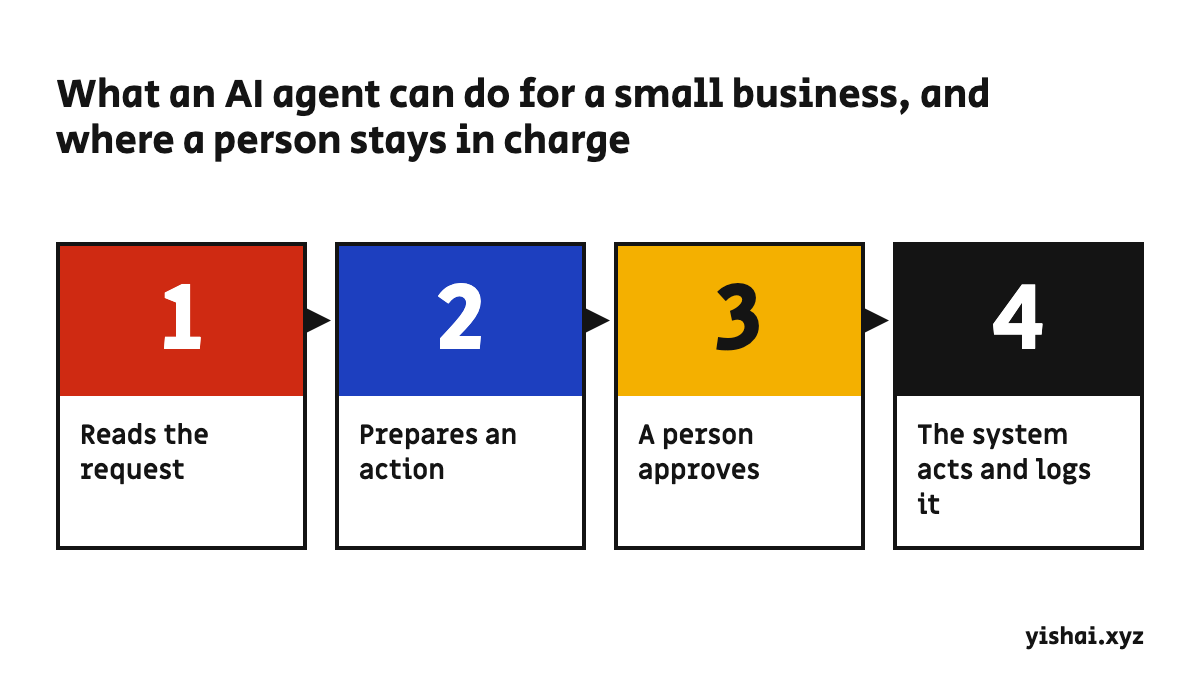
An office manager writes in the site's form that the branch air conditioner has stopped working. The agent recognises an equipment fault, opens a request in the tracker, suggests the facilities lead as owner and drafts a short reply. The facilities lead gets the request, and the person who handles inquiries approves the reply before it goes out. Every step is logged, so you can see what the agent suggested and what a person changed.
What permissions should an agent get?
- Read access only to the sources it needs, not the whole mailbox.
- Write access only to defined fields, with every change recorded.
- No sending to customers and no deleting without approval.
- An off switch, and someone who is alerted when something fails.
How do you start?
Pick one task, collect 20 to 50 real examples from your work, and define what a correct result looks like. Run the agent on the examples before it touches your systems, and measure how many suggestions were accepted as written, how many were corrected, and how long review took. Only then connect it to daily work.
What to prepare before a pilot
- One task
- What goes in, what comes out and who does it today.
- Examples
- 20 to 50 real cases with the correct result.
- Permissions
- What the agent reads, what it writes and what needs approval.
- Measurement
- Share of suggestions accepted and review time.