Custom CRM or an off-the-shelf CRM: how to decide
For most businesses an off-the-shelf CRM is enough, as long as your process fits its fields, stages and permissions without bending it. A custom CRM fits when the work needs screens, rules or connections the ready-made system doesn't support. The way to decide: run the same real example through both.
What is the difference in practice?
| Topic | Off-the-shelf | Custom |
|---|---|---|
| Time to first use | Days to weeks | Weeks to months, depending on scope |
| Fit with your process | You adapt to the system | The system is built around the process |
| Cost over time | A subscription per user | Development and upkeep, no per-user subscription |
| Ownership of data and code | Under the vendor's terms | Yours |
When is an off-the-shelf CRM enough?
When sales or service move through fixed stages, when the fields are similar for every customer, and when the connections you need already exist in the system. Then invest in good setup and training, not development.
When is it worth building?
- When every customer goes through a different process, with approvals and documents that change.
- When your team keeps part of the work in spreadsheets beside the system because it doesn't cover it.
- When you need to connect a local system, a supplier or an interface with no ready connector.
- When the per-user subscription grows with the team faster than the cost of building.
How do you test before deciding?
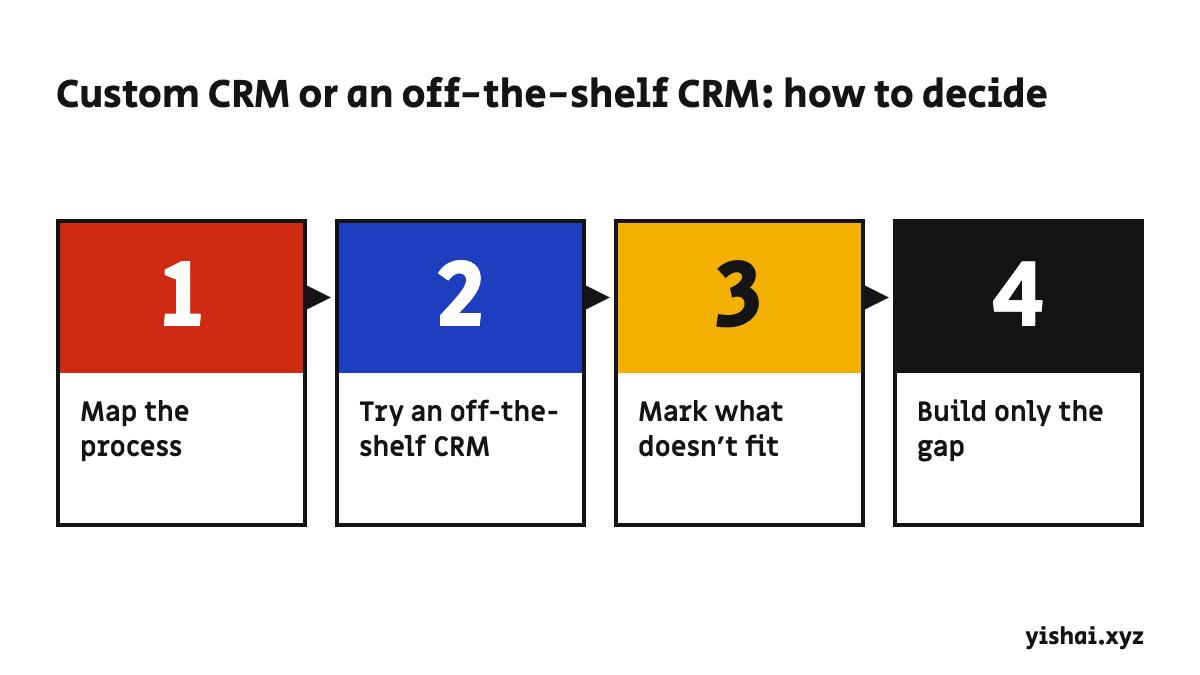
Take one real customer and walk them through the whole process during an off-the-shelf trial. Note every place where the team had to work around the system. If the list is short, stay with the ready-made system. If it's long, you can build only the missing part and connect it, or build a complete tool.
Is there a middle way?
Yes, and it is often the best value: an off-the-shelf CRM as the base, with a custom portal, dashboard or automation connected through its API. You pay for development only where it is actually needed.
How do you compare cost over three years?
Compare the same period both ways. Off-the-shelf: the per-user subscription times the users you expect each year, plus setup, paid add-ons and connectors. Custom: the build, plus upkeep, hosting and changes each year. Work out what happens if the team grows too, because a per-user subscription grows with it and the cost of a build usually does not.
How do you move to a new CRM without losing data?
- Export contacts, deals and history from the current system, including side spreadsheets.
- Remove duplicates by email and phone before the import, not after.
- Map each column to a field in the new system, and import a small sample first to check it.
- Run both in parallel for a week, then lock the old system for editing and keep a copy.
What to prepare before deciding
- Process
- The steps from first contact to close, and who owns each one.
- Data
- A sample record, and the system each field lives in today.
- Connections
- The systems that must work with the CRM.
- Users
- How many people, with which permissions, and whether the team will grow.