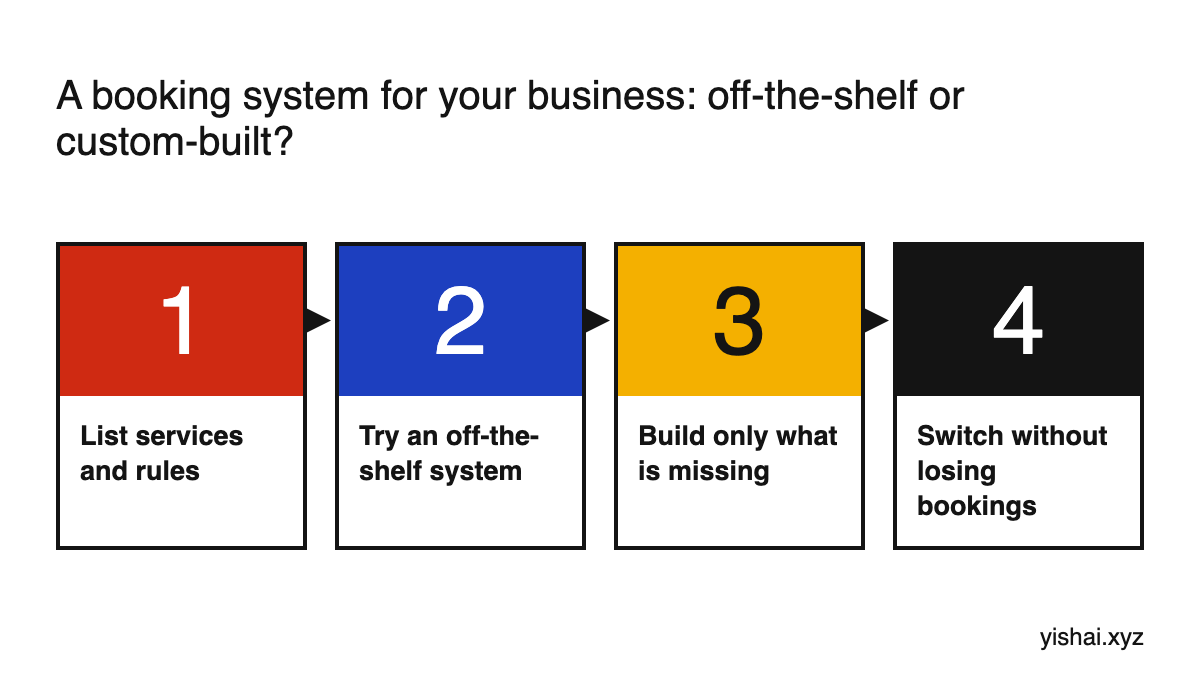
A booking system for your business: off-the-shelf or custom-built?
For most businesses with one service provider and fixed services, an off-the-shelf booking system is enough. It is cheap and quick to set up. A custom system fits when availability rules are complex: several providers with different hours, a shared room or machine, approval before a booking is confirmed, or a connection to a system you already run. The way to decide is to write down your rules and check whether an off-the-shelf system covers all of them.
When is an off-the-shelf system enough, and when not?
| Area | Off-the-shelf is enough | Worth looking at custom |
|---|---|---|
| Providers | One or several, each with a calendar | A rotating team, or a service that needs two people at once |
| Availability | Fixed hours and breaks | A shared room, machine or vehicle that has to be reserved |
| Approval | The booking is confirmed at once | The team approves or schedules after a request |
| Payment | A deposit or full payment when booking | A price calculated per booking, or charging against a package |
| Connections | Google Calendar and reminders | A CRM, stock or invoicing system you already use |
You can also combine the two: an off-the-shelf system for booking, and a small connection that passes bookings into the system you already have.
Which rules should you write down before choosing?
- Each service: how long it takes, and whether it needs a break afterwards.
- Who provides each service, and on which days and hours.
- Shared resources, such as a treatment room or a machine.
- How far ahead people can book, and until when they can cancel.
- Whether you take a deposit, and what happens when someone doesn’t show up.
- Holidays, time off and one-off changes to hours.
The same list helps when you try an off-the-shelf system: go through it rule by rule and mark what the system can’t do.
How do you cut cancellations and no-shows?
Send a reminder a day before and an hour before, on the channel the customer chose, with a link to change or cancel. An easy cancellation frees the slot for someone else, which beats an empty slot. A waiting list offers a freed slot to the next person. A deposit suits long or expensive services; say in advance when it is refunded.
What does the team need to see?
- One calendar for all providers, by day and by week.
- Manual changes to a booking that send the customer an updated message.
- Blocked time for holidays or internal work.
- Each customer’s history: past bookings, cancellations and notes.
- Permissions: who sees the whole calendar, and who sees only their own.
How do you switch systems without losing bookings?
- Import contacts and every future booking, and check a sample against the old system.
- Run both systems in parallel for a few days, taking new bookings only in the new one.
- Update the booking link on your site, your Google profile and WhatsApp.
- Test booking, changing and cancelling from a phone, as a customer would.
What to write down before asking for a quote
- Services
- Each service, how long it takes and who provides it.
- Availability
- Hours, breaks, holidays and shared resources.
- Rules
- Booking and cancelling: how far ahead, and any deposit.
- Connections
- Calendar, CRM, payment or invoicing to connect.