WhatsApp automation for a business: what is possible and what to check first
There are two official ways to automate WhatsApp. The WhatsApp Business app covers quick replies, a greeting and an away message. Connecting WhatsApp to your systems, replying automatically by topic and starting conversations need the WhatsApp Business Platform (API), with approved message templates and the customer's consent.
What is the difference between the WhatsApp Business app and the API?
| Topic | WhatsApp Business app | WhatsApp Business Platform (API) |
|---|---|---|
| Who it suits | A small business that answers itself | A business connecting WhatsApp to its systems |
| Automation | Greeting, away message and quick replies | Replies by rules or AI, CRM connection, alerts |
| Messages you start | Sent by hand | Templates approved by Meta, to customers who opted in |
| Cost | Free | Meta charges for some message types; check the current price list |
What rules apply to automated messages?
When a customer writes to the business, a customer service window opens in which you can reply freely. After it closes, or when the business writes first, you can send only a template approved in advance. Marketing messages need the customer's consent. Unofficial tools that drive a regular WhatsApp number automatically break the terms of service, and the number can be banned.
An example: booking inquiries
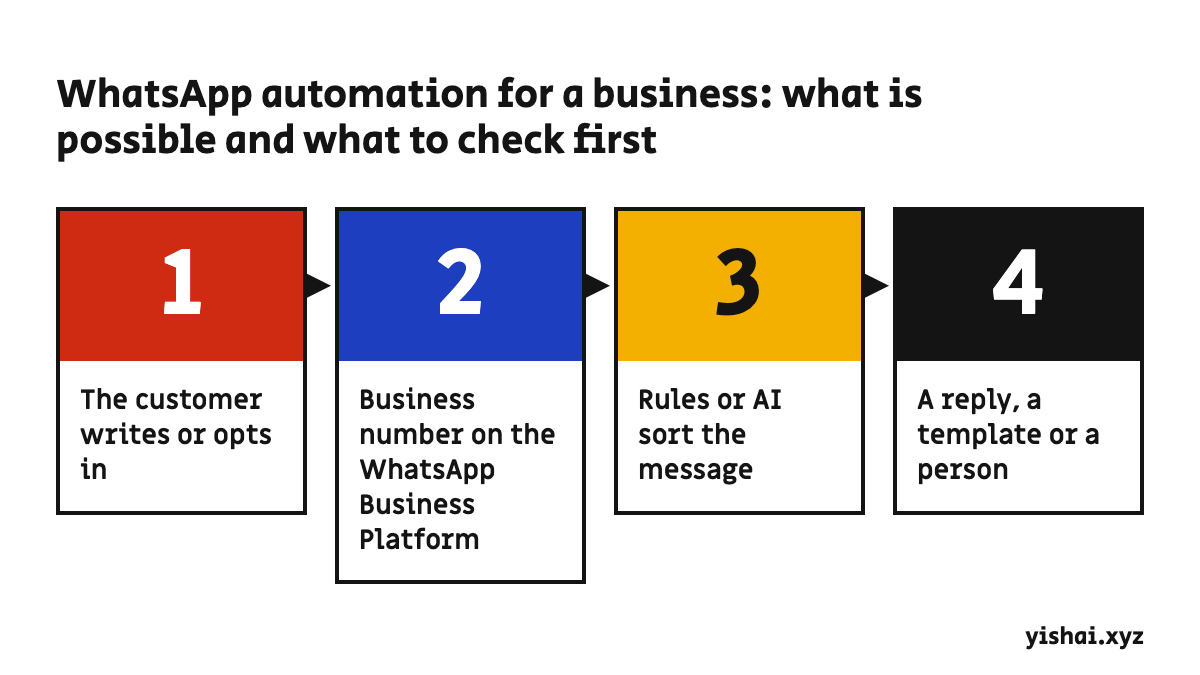
A clinic gets WhatsApp questions about hours, prices and appointments. Questions about hours and the address get an automatic answer from information the clinic approved. A booking request creates a record in the booking system and sends a link to pick a time. Any question the system can't recognise with confidence goes to a person, with the conversation history.
How do you connect WhatsApp to a CRM?
Each incoming message is logged to the right customer by phone number, and each reply is saved to the same record. Everyone who answers sees the full history, and an inquiry isn't lost when someone is on holiday. Decide in advance who gets each type of inquiry and what happens when there's no answer within the time you set.
What should you check before starting?
- Which questions come up most, and who answers them today.
- Which phone number you'll use, and what happens to its history.
- Which messages you'll start, and how customers agree to receive them.
- When a conversation moves to a person, and how the customer knows.
What to prepare before building
- Repeat questions
- The ten most common questions and the approved answer to each.
- Phone number
- The number to connect, and who manages the business account at Meta.
- Messages you start
- Which templates you need and how consent is collected.
- Handoff to a person
- When, to whom, and how fast.