Website accessibility in Israel: what the law asks of a business site, and how to test it
As a rule, a website that offers a service to the public in Israel, or information about one, has to be accessible to people with disabilities under Israeli Standard 5568, and has to publish an accessibility statement. The duty falls on whoever operates the site, not on whoever built it. In practice that means a site you can use with a keyboard and a screen reader, with image descriptions, enough contrast and labelled forms. It costs least to build this in from the start and test before you publish.
Who has to make their site accessible?
According to Kol Zchut (in Hebrew), websites and apps that offer a service to the public in Israel, or information about such a service, must be accessible. That includes private businesses such as companies and licensed dealers, public authorities and non-profits. The duty is on whoever actually operates the site, not on whoever built it for them.
There are exemptions. According to Kol Zchut (in Hebrew), some apply automatically: an exempt dealer (osek patur) is fully exempt, a business with an average annual turnover below ₪120,000 gets a temporary three-year exemption, and a site that requires registration and has no more than 500 registered users is exempt too. Others, such as technical impossibility or a heavy financial burden for a larger business, need a professional opinion or approval. Check the full conditions, or ask a lawyer, before you rely on one.
What does IS 5568 check?
Israeli Standard 5568 adopts the international web accessibility guidelines (WCAG). We build to the guidelines’ level AA, and these are the things checked most often:
| Area | What it means on the site |
|---|---|
| Keyboard | Every link, button, menu and form works without a mouse, and you can see where you are. |
| Screen reader | Headings in a proper structure, a description for every image that carries information, and a clear name for every button. |
| Contrast | Text stands out enough from its background, in buttons and fields too. |
| Forms | Every field has a label, and error messages say what to fix. |
| Zoom | At 200% zoom no content is cut off or lost. |
| Language and direction | The page language is set, and Hebrew is read and shown right to left. |
| Video and documents | Captions and accessible PDFs, as far as they apply to your business. |
Is an accessibility plugin enough?
An accessibility plugin adds a menu that enlarges text or changes colours. It does not fix the code underneath: a button with no name, an image with no description or a form that does not work with a keyboard stays as it was. The menu can help some visitors, but it does not replace building the site accessibly and testing it.
What goes in an accessibility statement?
According to Kol Zchut, the statement explains how the site was made accessible and how to use it, which services are not accessible and how to get them another way, and how to contact the operator about accessibility. Publish it as an ordinary page on the site, link to it from every page, and say when the site was last tested and what was tested.
How do you test the site before publishing?
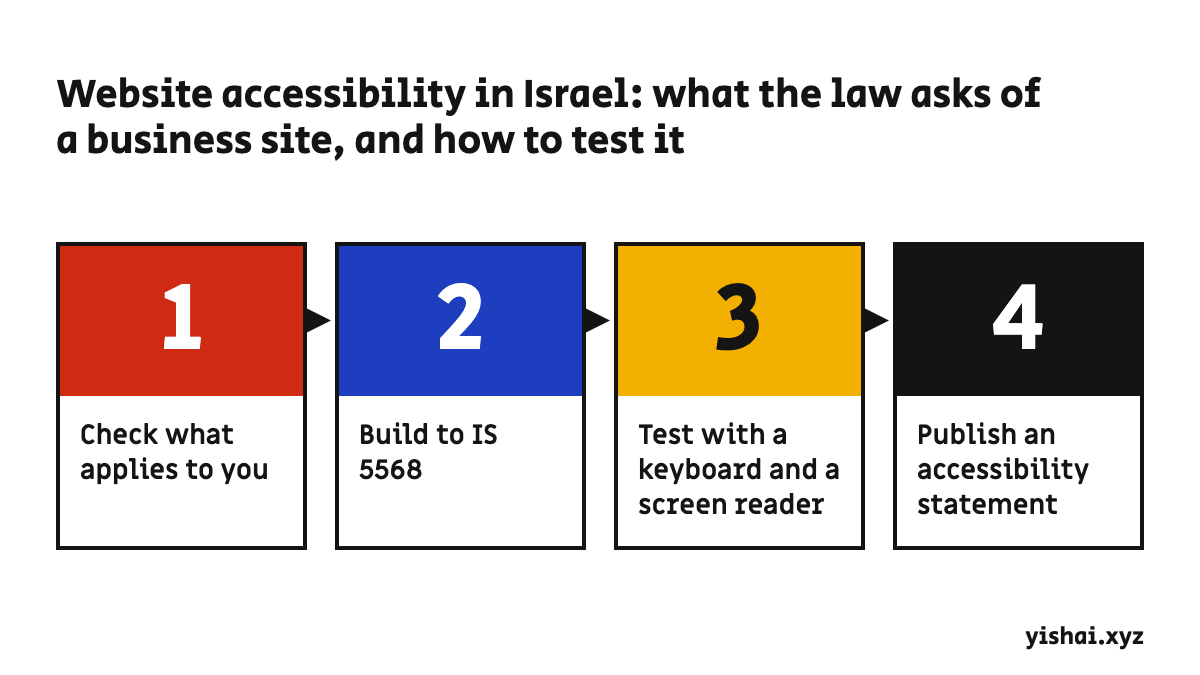
Go through the key pages, such as the homepage, a service page and the contact form, using only the keyboard: Tab, Shift+Tab and Enter. Turn on a screen reader, such as NVDA on a computer or VoiceOver on an iPhone, and listen to the headings, images and buttons. Run an automated check, which finds some problems, such as contrast and missing labels, but not all of them. Finally zoom the page to 200% and check that everything is still readable.
What happens if a site is not accessible?
According to Kol Zchut, someone who owes the duty and has not made the adjustments is notified and has 60 days to fix them. If they do not, they may face a fine, a claim for up to ₪50,000 in damages without proof of harm, an accessibility order from the Commission, and a class action.
This guide explains what to build and test; it is not legal advice. For whether an exemption applies to you, ask a lawyer or the Commission for Equal Rights of Persons with Disabilities.
What to ask of whoever builds your site
- Standard
- Building to IS 5568 at level AA, written into the quote.
- Testing
- A keyboard and screen reader check before launch, with a list of findings.
- Statement
- A draft accessibility statement that describes what was actually tested.
- New content
- Guidance for the images, documents and videos you add later.