Taking card payments on a business website: how to add online payments
To take card payments on a website you need three things: an agreement with a payment provider that works with businesses in your country, the provider’s secure payment page connected to your site, and a system that issues a receipt or invoice after every payment. Card details should never pass through your own server. Before you publish, test the whole path with a small real transaction.
What do you need to take payments on a site?
A payment provider connects your site to the card networks and pays the money out to you. Some providers work directly with a card acquirer; others are payment companies that supply a payment page and handle the connection for you. Before you sign, ask every provider the same questions:
| Area | What to ask |
|---|---|
| Fees | The percentage per transaction, and whether there is a fixed fee per transaction or a monthly plan. |
| Payment methods | Cards, local wallets, Apple Pay or Google Pay, and instalments. |
| Site connection | Whether there is a plugin for your site’s platform, or an API. |
| Payouts | How long it takes for money to reach your bank account. |
| Refunds | How a transaction is cancelled and refunded, and who does it. |
| Receipts | Whether the provider issues receipts itself, or connects to your invoicing system. |
How do you connect payment to the site?
| Method | When it fits | Watch out for |
|---|---|---|
| Link to a payment page | One product or service, no development | The customer briefly moves to the provider’s page and has to come back at the end |
| Embedded payment page | When you want payment to look like part of the site | The card fields still sit in the provider’s frame, not in your code |
| Platform plugin | A store on WordPress, Shopify or a site builder | That the provider supports your platform, and what happens on updates |
| API connection | Prices calculated per order, deposits or subscriptions | Development and upkeep, and keeping keys on the server only |
Whichever way you choose, confirm an order only from the message the provider sends your server after a successful payment. A customer landing on the "thank you" page does not prove they paid.
Who is responsible for keeping card details safe?
When the customer types their card details into the payment provider’s page or frame, the card number never passes through your server. That greatly reduces what you must meet under the card industry’s security standard, PCI DSS. According to the standard’s council, the site that redirects to the payment page or loads it is still in scope. So keep it updated, limit the scripts that run on the payment page, and never store card numbers in email, a spreadsheet or a CRM.
How do you issue a receipt or invoice automatically?
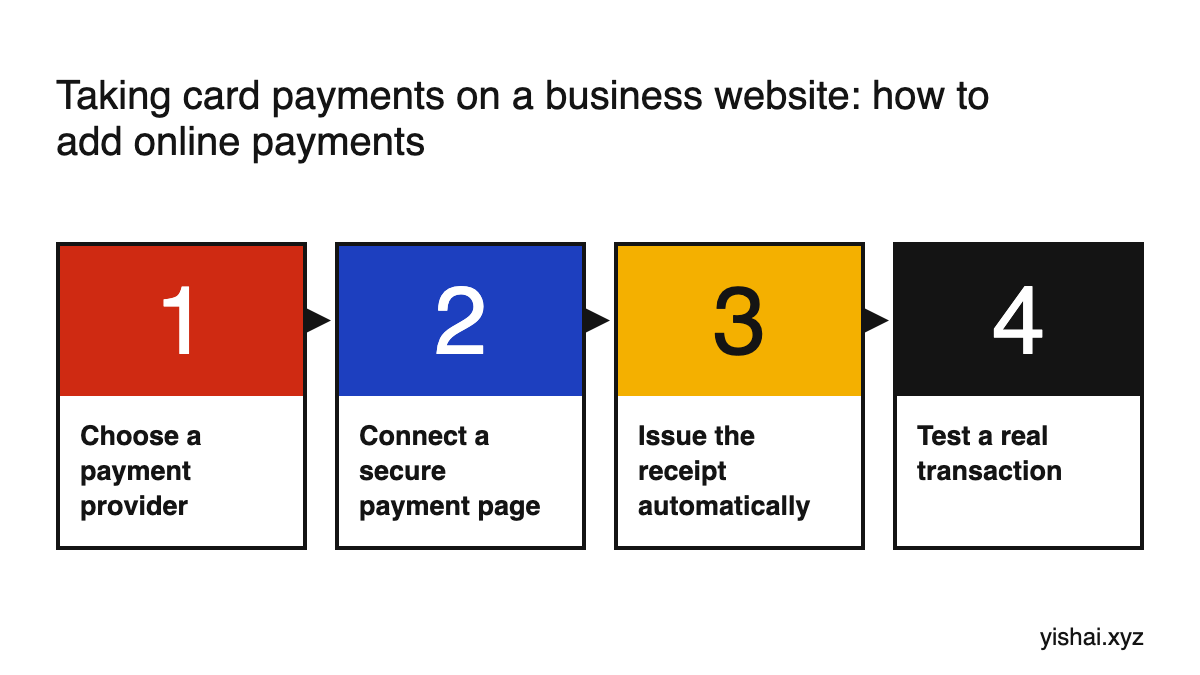
After a successful payment, the provider sends your site a message, and the site or your invoicing system issues a receipt and emails it to the customer. In Israel, when the customer is a VAT-registered business, a tax invoice above an amount the Tax Authority sets needs an allocation number (in Hebrew); without it the customer cannot reclaim the VAT. According to the Tax Authority, the amount fell from ₪20,000 in 2025 to ₪5,000 before VAT from June 2026, so choose an invoicing system that requests the number automatically, and check the current amount with your accountant.
What do you test before taking payments?
- A test transaction in the provider’s sandbox, then a small real transaction and its refund.
- A declined card: what the customer sees, and whether they can try again.
- Closing the browser mid-payment: whether the order is still recorded from the provider’s message.
- That the receipt reached the customer with the right amount, details and VAT.
- That the order was recorded only once, even when the provider’s message arrives twice.
- All of it on a phone, in Hebrew and English if the site is bilingual.
What to prepare before connecting payments
- Provider
- An active payment agreement, and the payment methods it supports.
- Prices
- What you sell, whether prices include VAT, and any instalments.
- Receipts
- Your invoicing system, and who gets a copy of each receipt.
- Cancellations
- Cancellation and refund terms shown on the site before payment.